OUR SERVICES

Native Android Development in Kotlin & Compose

We build native Android applications in Kotlin with Jetpack Compose that perform flawlessly across the fragmented Android device landscape.

Next step: get your project scoped

Tell us what you are building - what exists today, what it has to do and when it has to be live. We come back with the questions we need answered and a scoped estimate instead of a range.

Describe your project

EXPERTISE

Our Tech Stack

Kotlin
Jetpack Compose
Coroutines
Room
Hilt
Espresso

OUR APPROACH

Flexible Engagement Models

Choose the cooperation format that best fits your business goals and development velocity.

Startups

MVP Development

Fast launch to test your idea and gather user feedback with minimal investment.

What's included

  • Core feature development
  • Basic UI/UX design
  • Stable performance

Timeline Typically 9-16 weeks

Businesses

Full App Build

Complete cycle from initial strategy and design to final launch.

What's included

  • Custom architecture & design
  • Seamless team integration
  • Production-ready release

Timeline Typically 20-40 weeks

Enterprises

Team Extension

Scale your team with expert developers to accelerate development.

What's included

  • Senior-level developers
  • Seamless team integration
  • Flexible management

Timeline Flexible / Long-term

OUR PROCESS

How We Work

We specialize in creating user-centered & innovative solutions. Delivering seamless digital experiences.

Discovery
ResearchFlow MapUser Interview
Solution
ArchitectureWireframesPrototyping
Development
Sprint CyclesCode ReviewQA Testing
Launch
DeploymentMonitoringHandoff

EXPERT INSIGHTS

Why Jetpack Compose for Modern Android?

Google's declarative UI toolkit is now the standard for new Android development - faster to build, easier to test, and fully Kotlin-native.

Go With Jetpack Compose

  • Declarative Kotlin UI

    Composable functions replace XML layouts - less code, better readability, and no view binding boilerplate.

  • Faster development

    Live previews and interactive preview mode let you iterate on UI without running on a device.

  • Material 3 / You

    Native support for dynamic color theming and Material 3 components - adaptive by default.

  • Better testing

    Compose semantics tree makes UI testing deterministic and straightforward.

Go With XML Views

  • Proven ecosystem

    Every Android library from 2010-2022 was built for the View system - wide compatibility.

  • Familiar to senior devs

    Large pool of Android engineers who know XML layouts and Fragment navigation deeply.

  • Precise layout control

    ConstraintLayout and custom ViewGroups enable complex pixel-perfect layouts.

  • Incremental adoption

    Compose interop means you can migrate screen-by-screen.

EXPERT GUIDANCE

Jetpack Compose vs XML Views

Jetpack Compose

UI Paradigm

Declarative - Composable functions, state hoisting.

Code Volume

Typically 30-50% less code than equivalent XML+Activity.

Animation

Animate APIs, Transition, and physics springs built in.

Performance

Smart recomposition skips unchanged subtrees.

Interoperability

ComposeView and AndroidView allow gradual migration.

Best For

New projects, greenfield features, Android 5.0+ targets.

XML Views

UI Paradigm

Imperative - XML layouts inflated, views mutated in code.

Code Volume

Verbose - separate XML, ViewModel, ViewBinding files.

Animation

ObjectAnimator, MotionLayout - powerful but verbose.

Performance

View hierarchy measurement passes can be expensive.

Interoperability

Full library compatibility - everything works out of the box.

Best For

Large legacy codebases, teams not yet trained on Compose.

DELIVERABLES

What You Get

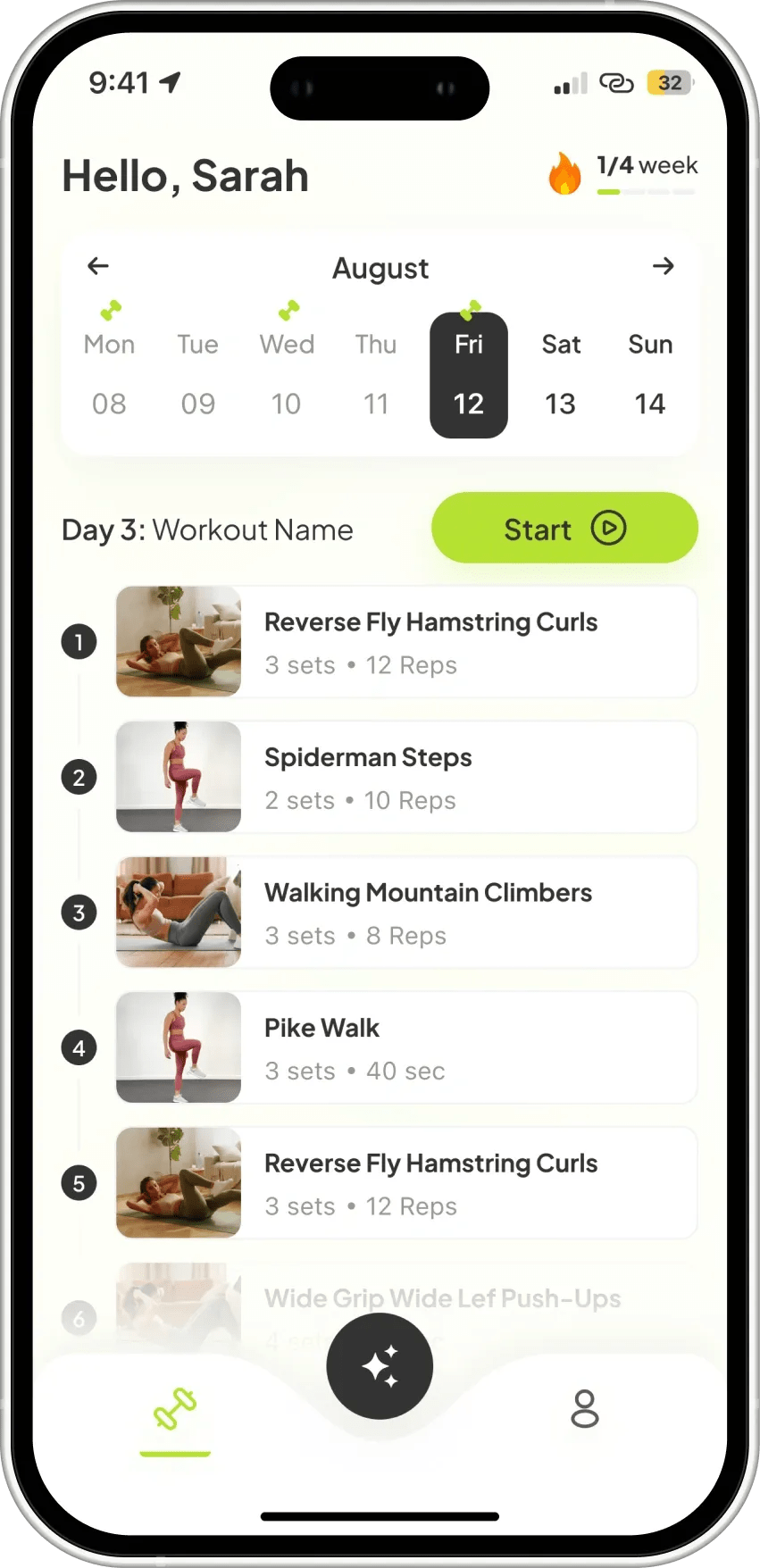
Native Android App

Native Android App

Production Kotlin/Compose app built for phones and tablets following Material You guidelines.

MVVM Architecture

MVVM Architecture

Clean ViewModel, Repository, and UseCase layering with Hilt dependency injection for testability.

Offline-First Data

Offline-First Data

Room database with Flow-based reactive queries and WorkManager background sync.

Compose UI System

Compose UI System

Reusable Composable component library with Material 3 theming and dark mode support.

Google Play Submission

Google Play Submission

AAB signing, Play Console setup, content rating, and phased rollout configuration.

Automated Test Suite

Automated Test Suite

JUnit unit tests, Compose UI tests, and Espresso end-to-end tests running in CI.

INDUSTRIES

Tailored Solutions for Your Specific Industry

We build powerful digital experiences across various sectors, ensuring your product meets unique market demands.

(01)

Fintech

Data-driven commerce solutions that improve journeys, boost sales, and optimize operations.

(02)

Retail

Data-driven commerce solutions that improve journeys, increase sales, and optimize operations.

(03)

Healthcare

Reliable medical platforms that protect patient data, simplify workflows, and support clinical accuracy.

(04)

B2B SaaS

Product-driven platforms that enhance workflows, automate processes, and scale with your business.

CASE STUDIES

Our Recent Work

View All

START YOUR PROJECT

Ready to build with expert Android Development team?

Expert developers ready to deliver high-quality digital products.

FAQ

Frequently Asked Questions

Native Android is ideal when your app requires deep Android platform integration - Nearby API, Android Auto, Wear OS, custom camera HAL access, or complex foreground services. It's also the right choice when your existing team is Kotlin-native or when Android-first market strategy justifies the focus. For most two-platform apps, React Native or Flutter cover the same ground at lower cost.

All new projects use Jetpack Compose, Google's declarative UI toolkit. Compose eliminates XML inflation, simplifies animations, and is the direction of all new Jetpack investment. We migrate legacy XML-based projects incrementally using the ComposeView interop wrapper.

Android runs on thousands of device models with varying screen sizes, GPU capabilities, and OS versions. We test on a matrix of physical and emulated devices via Firebase Test Lab, use adaptive layouts with WindowSizeClass, set a minimum SDK that covers 95%+ of active devices, and apply manufacturer-specific workarounds for known OEM quirks.

We follow Google's recommended MVVM + Repository pattern: Composable screens observe StateFlow from ViewModels, ViewModels call UseCases, UseCases coordinate Repositories, and Repositories abstract local (Room) and remote (Retrofit) data sources. Hilt provides compile-time verified dependency injection throughout.

Yes. We build Android TV Leanback apps, Wear OS tile and complication experiences, and large-screen adaptive layouts for tablets using WindowSizeClass and SlidingPaneLayout. Each form factor requires distinct UX - we do not simply scale phone layouts.

We use WorkManager for deferrable background work, Foreground Services for user-aware long-running tasks (e.g., media playback, location tracking), and AlarmManager only when exact timing is required. We follow Android's battery optimization best practices to avoid Doze and App Standby restrictions.

Yes. We implement Google Play Billing Library for in-app purchases and subscriptions, including purchase verification on a backend server to prevent client-side spoofing. We also handle subscription upgrades, downgrades, grace periods, and Google Play promotional codes.

Testing layers include JUnit 5 + Mockito unit tests for ViewModels and business logic, Compose testing APIs for UI component tests, and Espresso or UI Automator for full end-to-end flows. We run the test suite on Firebase Test Lab using a device matrix that covers top Android devices and OS versions.

We integrate Firebase Cloud Messaging (FCM) for push notifications, configuring notification channels, priority levels, and large icon/big picture styles. For notification grouping, inline replies, and rich media, we implement custom NotificationCompat builders that work across Android 8-15.

Yes. We perform incremental Java-to-Kotlin migrations using Android Studio's automated converter as a starting point, followed by idiomatic refactoring to coroutines, data classes, and null safety. We typically migrate file by file alongside feature development to avoid a big-bang rewrite.

An Android MVP takes 6-10 weeks. A full consumer app takes 3-6 months. Apps with complex background services, proprietary hardware SDKs, or Wear OS/TV targets take longer. We scope timelines after a structured discovery session.

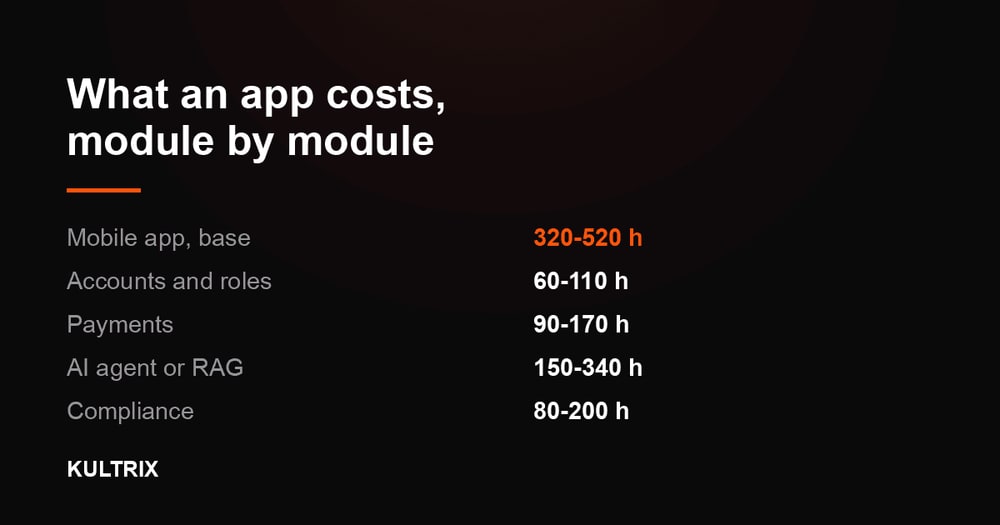
An Android MVP with accounts, payments, a content layer and an admin panel is 800-1,410 hours, or $24,000-$43,000 at our rate card. Add the third-party systems you already pay for and it is 890-1,640 hours, or $27,000-$50,000. A full consumer app with chat, real-time and offline sync on top is 1,240-2,310 hours, or $38,000-$70,000. Costs move with feature depth, the number of form factors and backend complexity. Price your own module set at kultrix.com/cost-calculator.